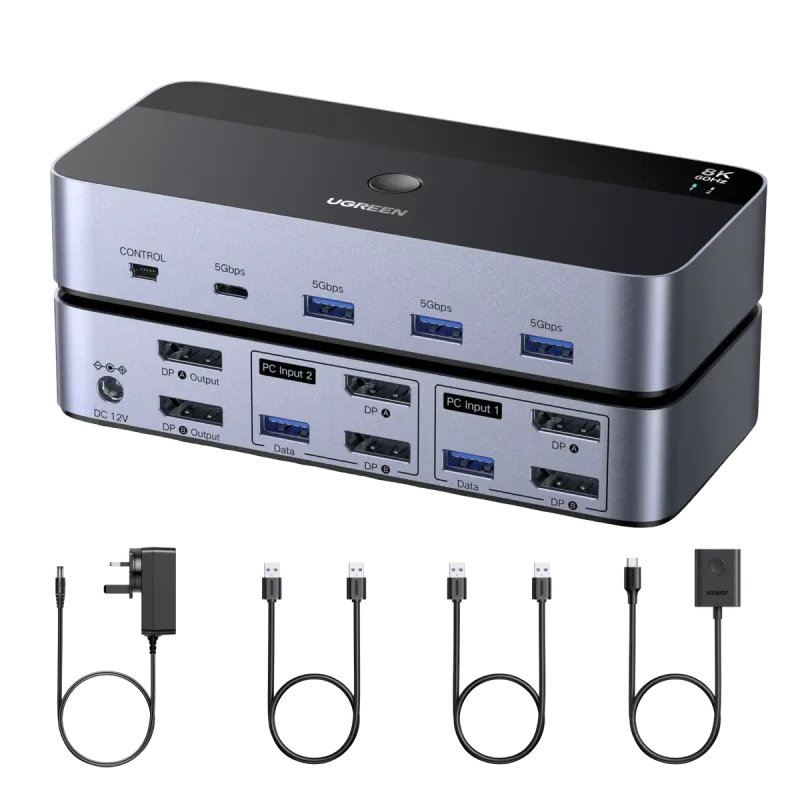
Ugreen AK700 (55851) DisplayPort Dual Monitor KVM Switch 2 In 2 Out helps you control two computers using one keyboard, mouse, and dual DisplayPort monitors, reducing cable clutter while keeping your workflow seamless.
Key Features
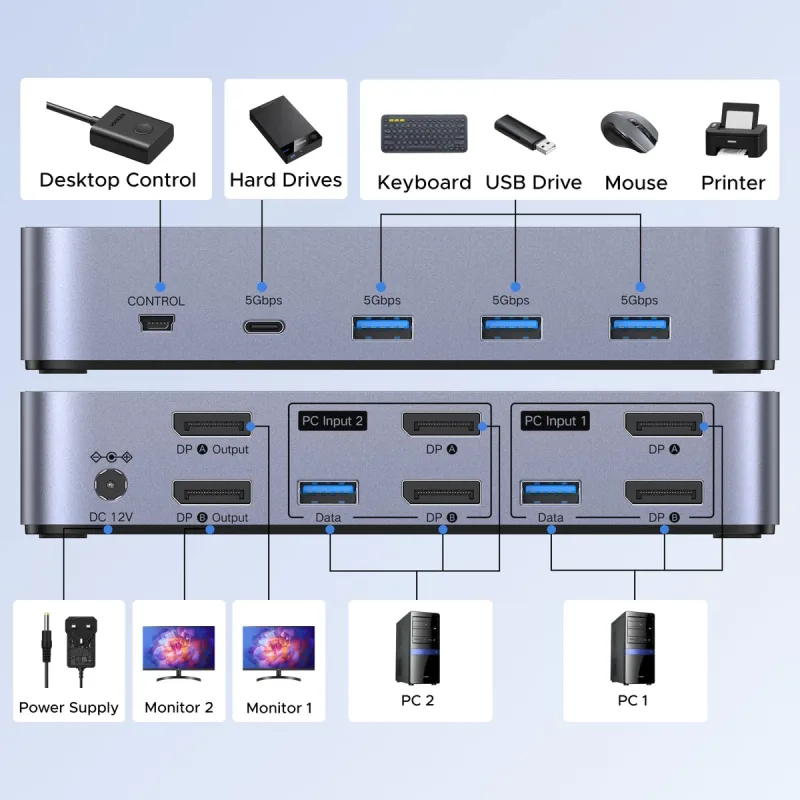
Control 2 computers with dual monitors using a single keyboard and mouse
DisplayPort 1.4 video support up to 8K@60Hz and 4K@240Hz with HDR
USB 3.0 peripheral sharing with up to 5Gbps transfer speed
Switching via one-touch button or included desktop controller
Plug & Play operation with no driver required
Who Should Buy This
Professionals, programmers, gamers, and designers who use two computers and want a simplified dual-monitor setup
Users who need high-resolution DisplayPort switching plus fast USB 3.0 peripheral sharing between systems
Anyone setting up Windows, macOS, or Linux workstations and wants quick, hassle-free switching
For charging and mobile power accessories, Local Gadget makes it easier to compare capacity, wattage, ports, and compatibility before ordering.
Specifications
Brand
Ugreen
Model
AK700 (55851)
Product Type
DisplayPort Dual Monitor KVM Switch (2 In 2 Out)
KVM Configuration
2 Computers × 2 Monitors
DisplayPort Version
DisplayPort 1.4
Maximum Resolution
8K@60Hz
Supported Resolutions
8K@60Hz, 4K@240Hz, 4K@120Hz
HDR Support
Yes
USB Ports
4 × USB 3.0 (3 × USB-A, 1 × USB-C)
Data Transfer Speed
Up to 5Gbps
Switching Methods
One-touch button, desktop controller
Hotkey Switching
Not Supported
Operating Systems
Windows, macOS, Linux
Plug & Play
Yes (No driver required)
FAQ
What computers and monitors setup does Ugreen AK700 (55851) support?
It supports 2 computers connected to 2 DisplayPort monitors, with both monitors showing output from one selected computer only.
What maximum resolution can this KVM switch deliver?
It supports up to 8K@60Hz, and also supports 4K@240Hz and 4K@120Hz, with HDR support.
Does Ugreen AK700 (55851) support USB data sharing?
Yes, it includes four USB 3.0 ports (3 USB-A and 1 USB-C) with data transfer up to 5Gbps for shared peripherals.
How do I switch between computers?
You can switch using the one-touch button or the included desktop controller.
What are the key compatibility requirements?
Each computer needs 2 DisplayPort outputs and 1 USB-A port, and it does not support EDID emulation.
Where can I buy Ugreen AK700 55851 DisplayPort Dual Monitor KVM Switch 2 In 2 Out in Bangladesh?
You can check the latest price and availability of Ugreen AK700 55851 DisplayPort Dual Monitor KVM Switch 2 In 2 Out at Local Gadget and order online anywhere in Bangladesh.









Reviews
There are no reviews yet.